View & render · beta · Neovim 0.11+ · 324 commits
images.nvim
images.nvim shows images in the terminal without leaving Neovim: hover a markdown link, double-click it, or paste a screenshot straight from the clipboard into the document. It draws through the iTerm2 inline-image protocol (OSC 1337) instead of the Kitty graphics protocol the alternatives rely on, which is what makes it work on native Windows Neovim in WezTerm, where they do not.
Connections
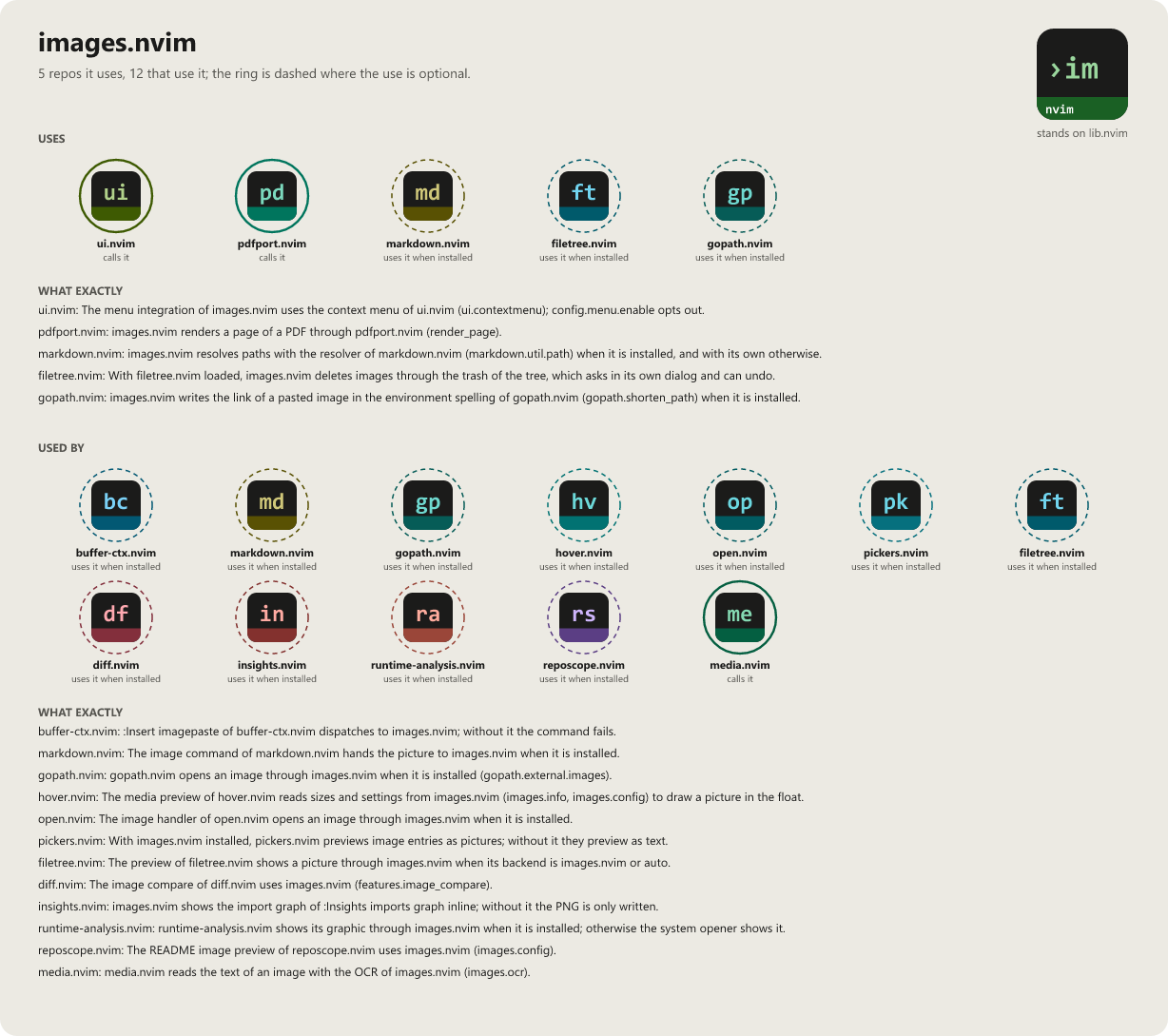
Tap the picture to open it at full size.
Install
{
  "WKDSteve/images.nvim",
  opts = {},
}
Beta stage — active development. This repository is past its first shape and in active use, but the surface is not frozen: breaking changes are still possible. Pin a commit or tag if you depend on it.
Documentation
Recent commits
- perf resolve: remember a missing markdown.nvim instead of asking require on every line
- perf browse: list the images through the file helper when one is installed
- test sheets: <CR> on an image in the real tree opens the zen float with no process start, drawn once
- perf zen: opening a zen window starts no process
- test sheets: under WSL the trash program of the delete sheet is gio
- test sheets: the for-good delete sheet asks with prompts = "real"
- docs regenerate the connection pictures (optional loads through probe/safe/package.loaded)
- test sheets: the sheets name the acceptance task their judge and manual lines go to
Combos
- Hover preview stack
hover.nvim is the shared preview host; these hand it something to draw without it needing to know the format itself.